Reports
Reports - Guest Activity Guide
Monitor anonymous shopper engagement and track items saved via local browser sessions. This section helps you understand interest from prospects who haven't created an account yet.
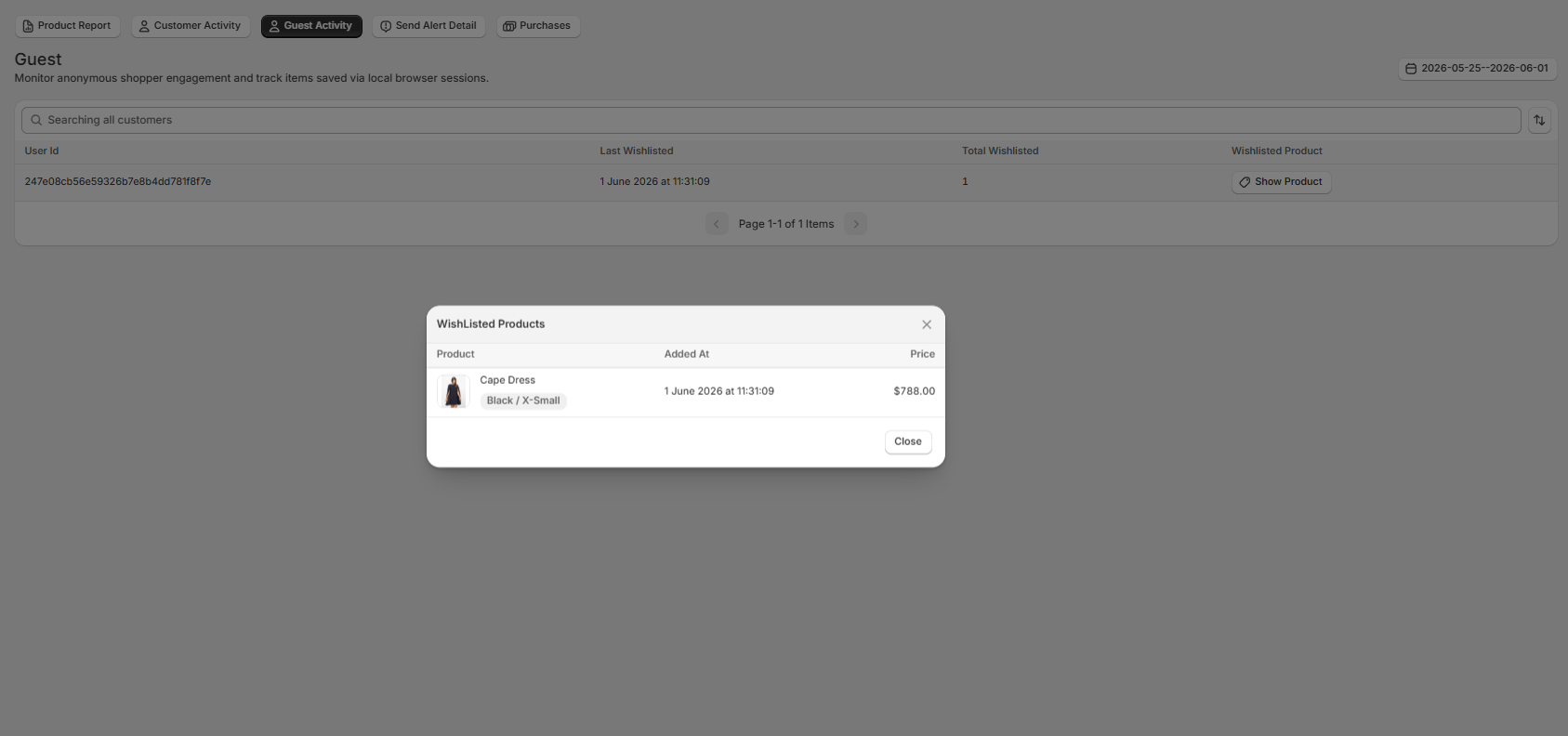
1. Navigating the Guest Activity Table
The main log table isolates activity from non-logged-in visitors utilizing local browser tracking.
- User Id: Displays a unique, anonymous session tracking identifier to separate guest shoppers.
- Last Wishlisted: Tracks the precise timestamp showing the exact date and time the anonymous user last saved an item.
- Total Wishlisted: Shows the total quantity of active items currently saved in that guest's local browser folder.
- Wishlisted Product: Features an interactive "Show Product" button widget to drill down into specific item details.

2. Product Modal Overlay View
Clicking the "Show Product" button triggers an immediate centralized modal titled "WishListed Products":
- Product Thumbnail & Metadata: Displays a direct product visual along with the item name and specific variant details.
- Added At: Shows the exact time log that specific line item was saved.
- Price: Displays the live variant cost directly from your catalog setup.
- Modal Actions: Click the upper-right "X" icon or the bottom-right "Close" button to exit the overlay and return to the main guest directory.
3. Filters & Directory Settings
- Active Tab Selector: Ensure that the Guest Activity tab is highlighted to isolate non-customer datasets.
- Search Field: Locate distinct entries instantly using the "Searching all customers" input field.
- Date Range Picker: Limit tracking data to distinct windows using the interactive date field on the right.