How Can I Customize Frequently Bought Together Bundle Appearance?
1. Frequently Bought Together Customize Design
In the Customize Design section, you can control how the Frequently Bought Together bundle is displayed and how customers interact with it.

2. Background Settings
The Background option lets you customize the background appearance of the bundle.
Select Background Type :
Choose Colored to apply a custom background to the bundle.
Background Color :
Set the background color to match your store’s design.
Text Color :
Choose a text color that ensures readability against the selected background.

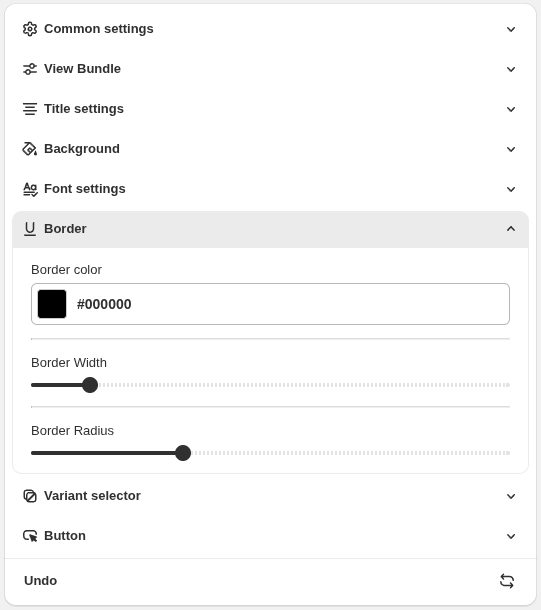
3. Border Settings
The Border option lets you customize the outer border of the bundle on the product page.
Border Width : Adjust the thickness of the border
Border Radius : Control the roundness of the bundle corners
Note: These settings apply only to the product page