Creating Bundles
How to Create a Bundle Page
1. Click on the "Create bundle" button from your Bundle Wave app homepage and create bundle page
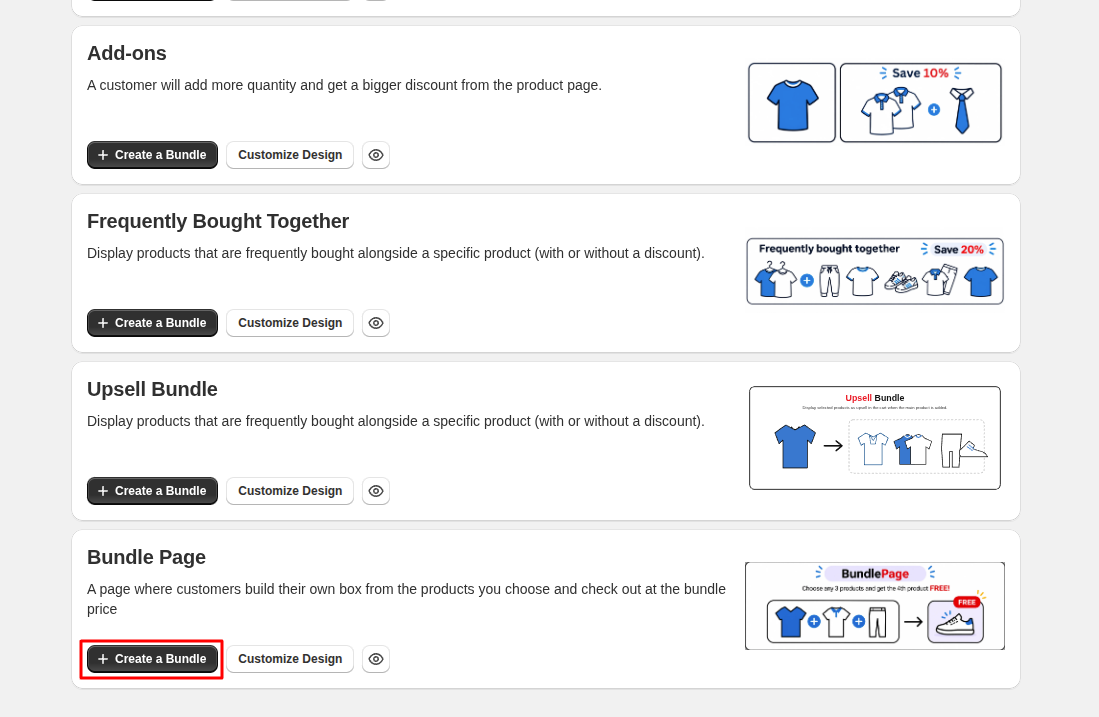
2. Create bundle
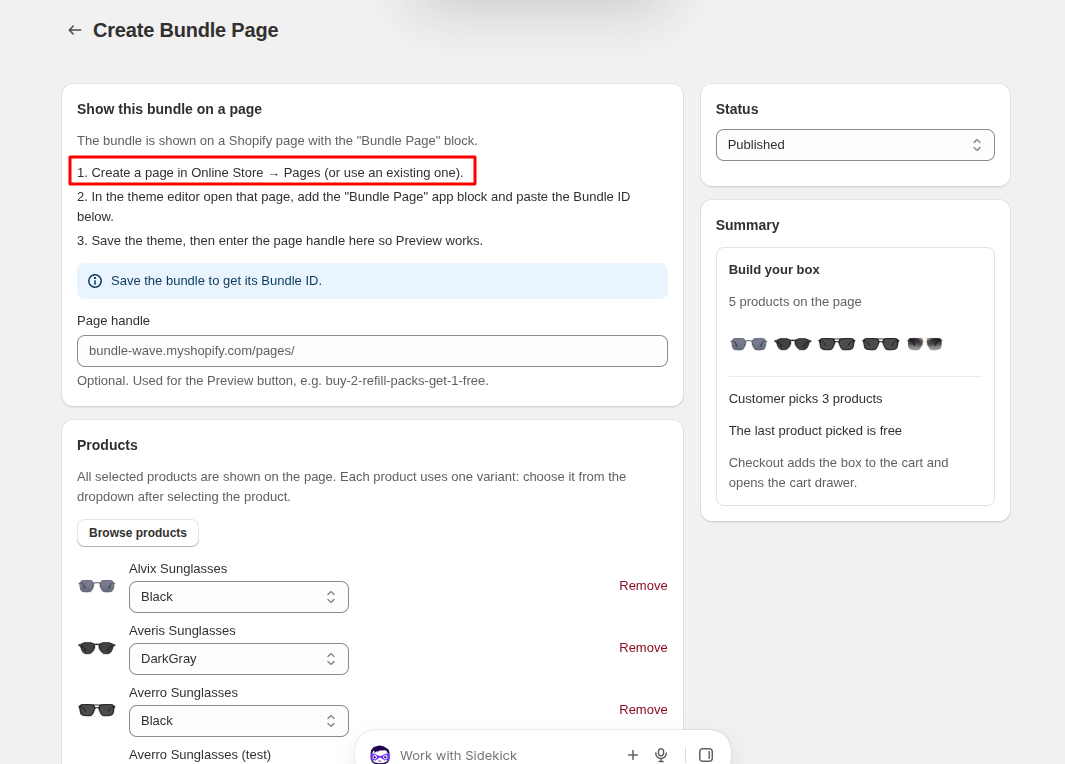
From this, you need to create a new page, or you can use an already-created page if it is available.
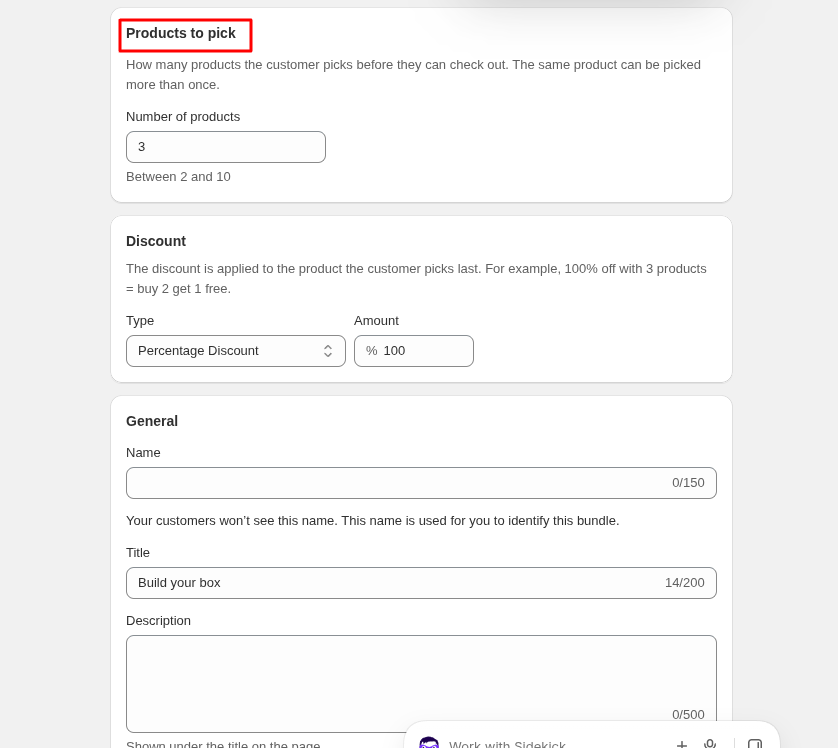
Here, you have to create the offer by defining how many products the user can select and the discount they will receive.
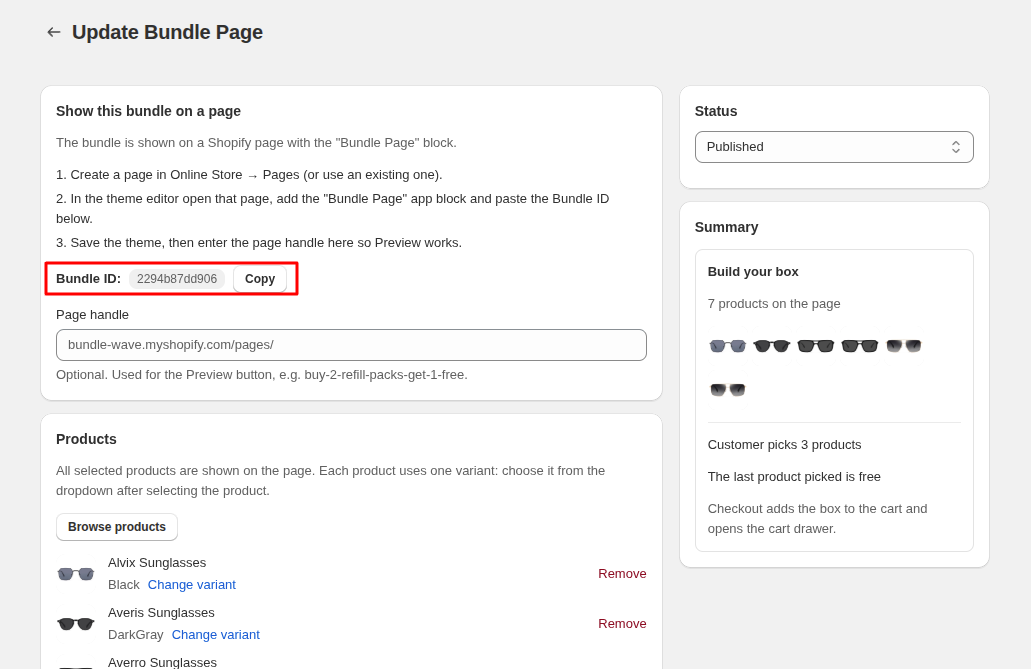
After completing this, create the bundle. Once the bundle is created, you will get the Bundle ID. Copy the Bundle ID for the next step.
3. Add block from theme editor
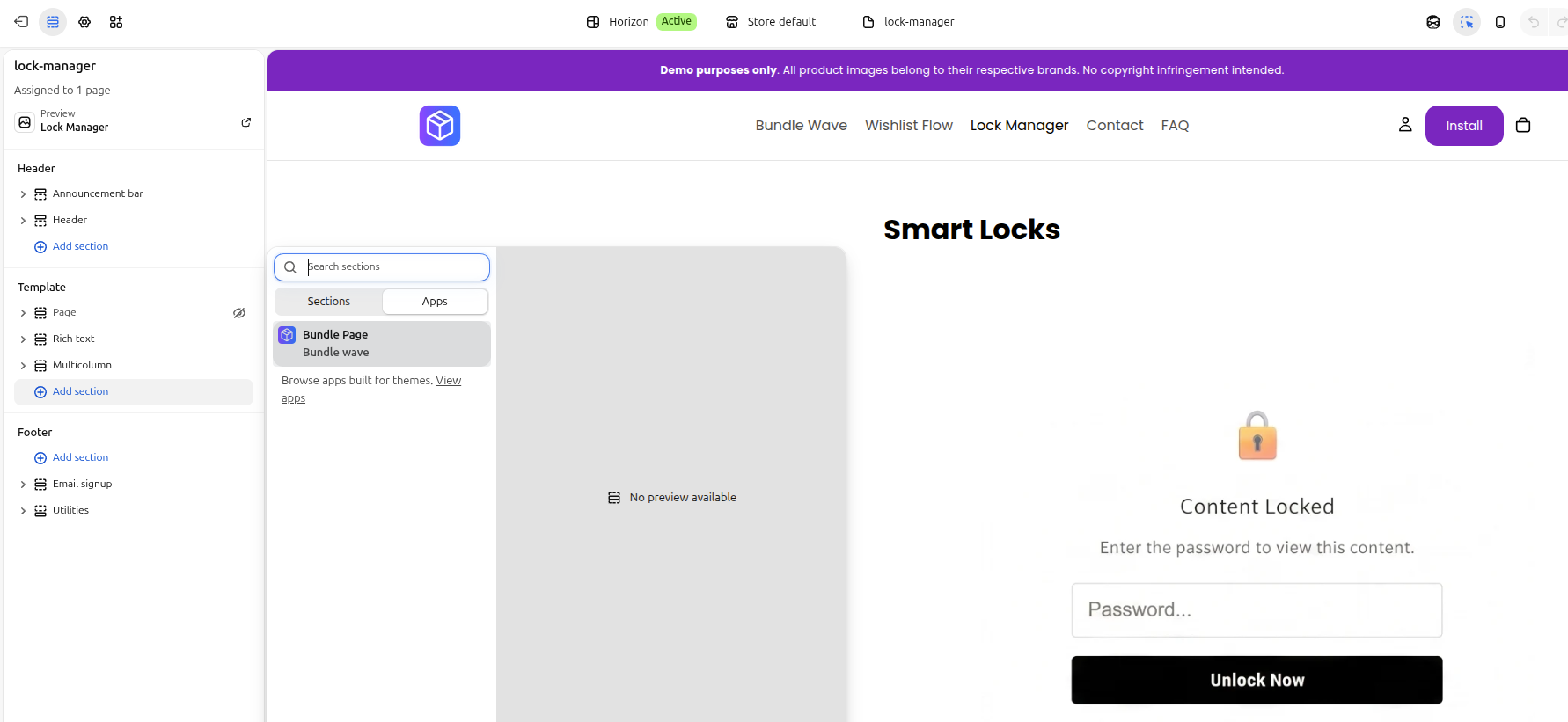
add block of bundle wave app
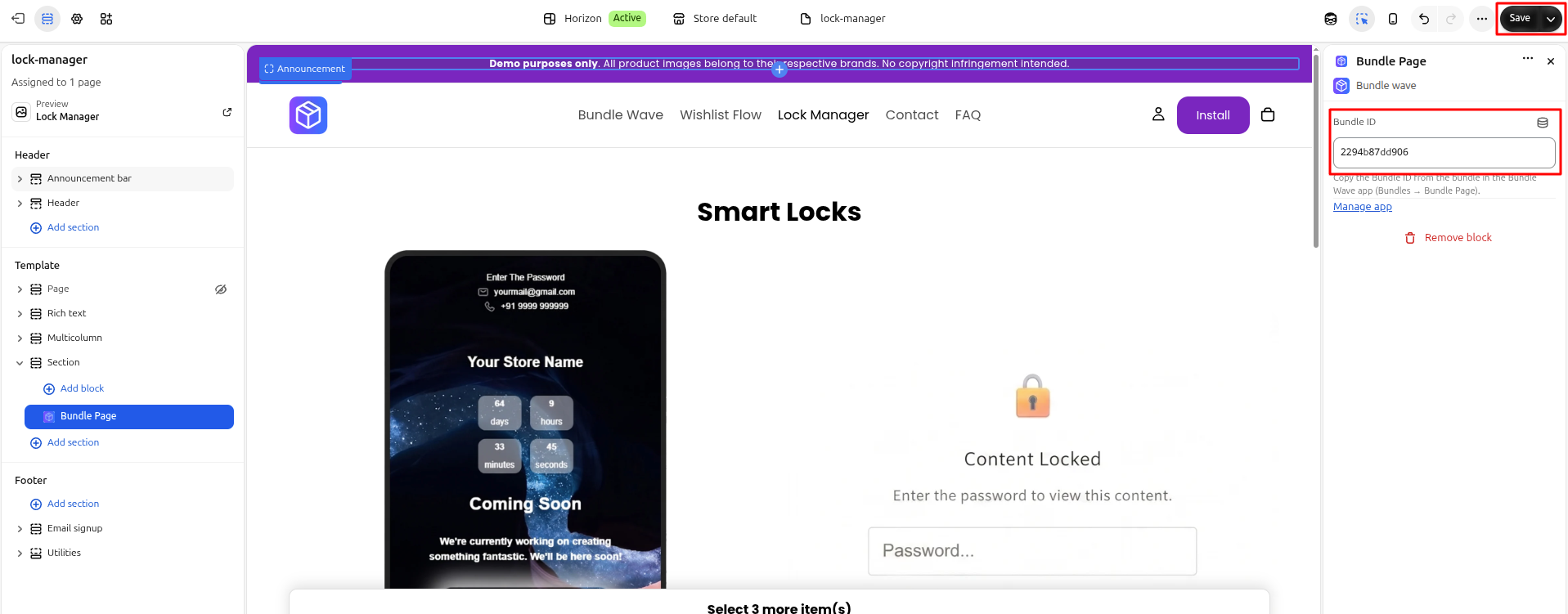
paste id here and save then go to page and refresh