Creating Bundles
How to Create a Upsell Bundle
Here step-by-step explanation of how to create a Fixed Bundle :
1. Click on the "Create bundle" button from your Bundle Wave app homepage
Click on the "Create bundles" button located on the Home or Bundles tab. This will open up the bundle creation menu for you.
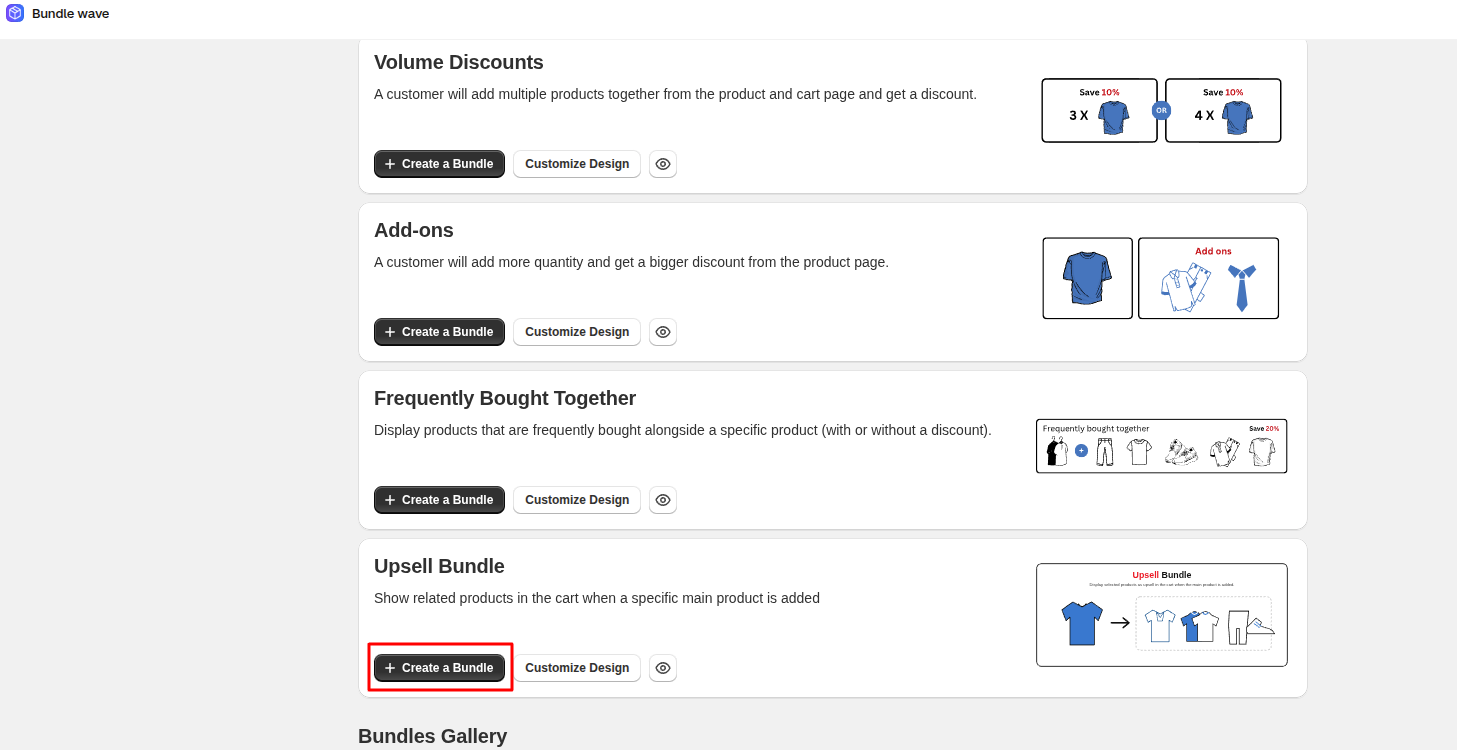
2. Choose the upsell bundle type
In this case, we choose the "Upsell Bundle" type:
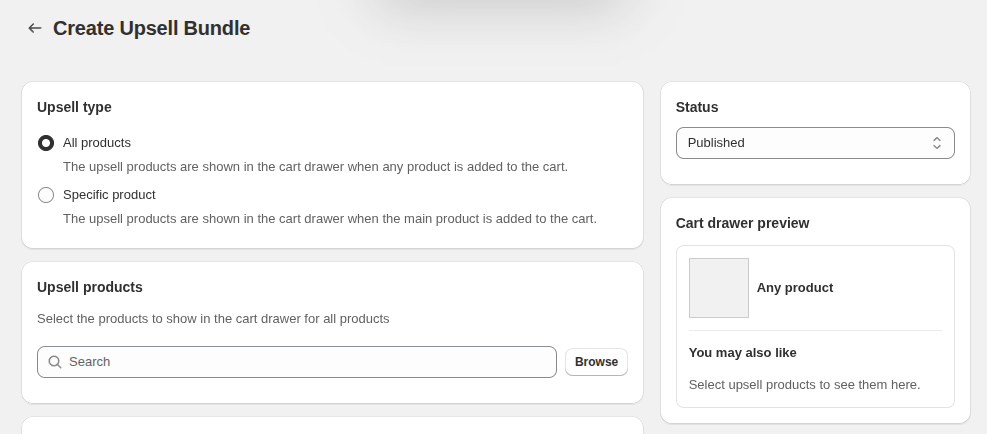
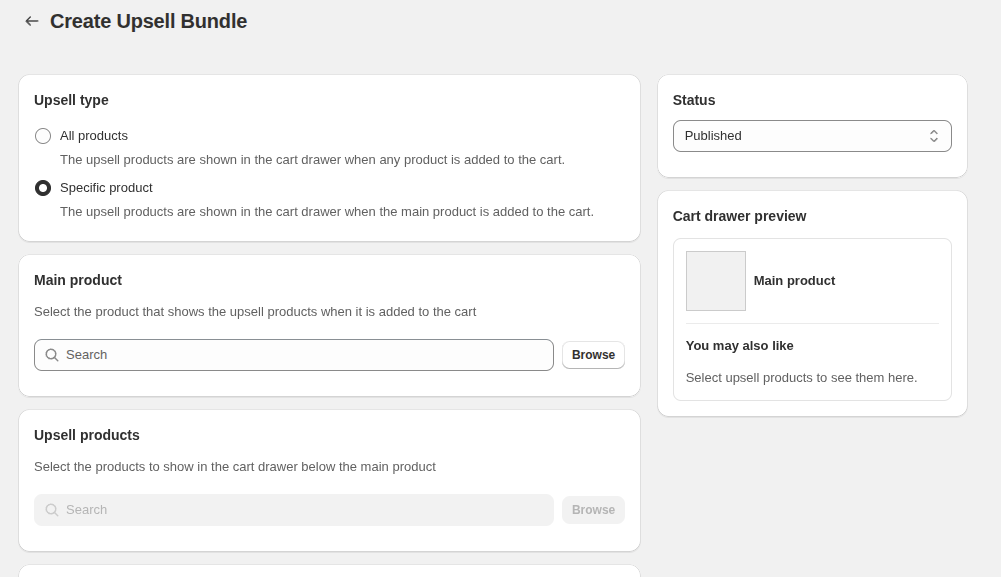
3. Choose the Upsell type
- All Product
- Specific Product
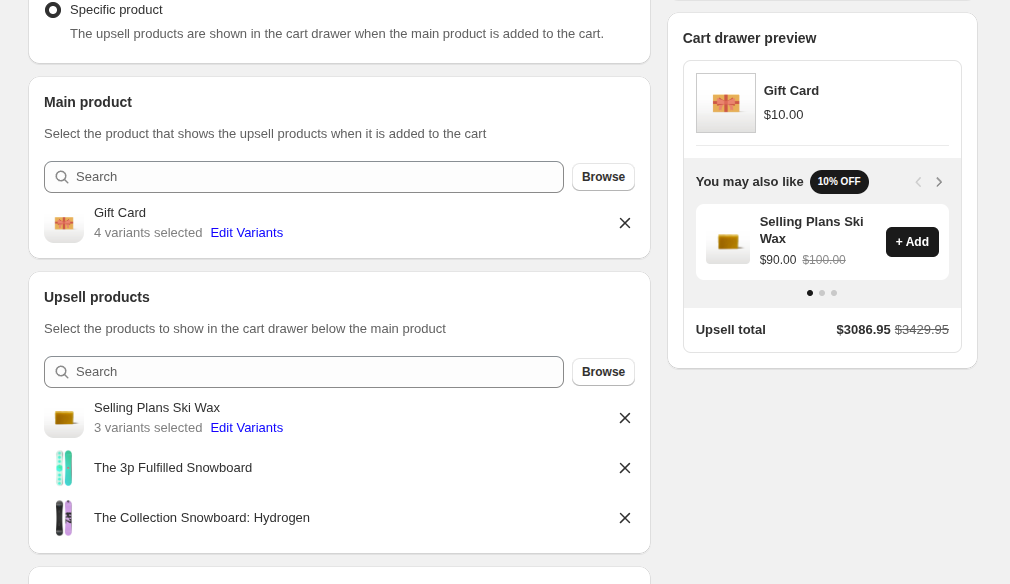
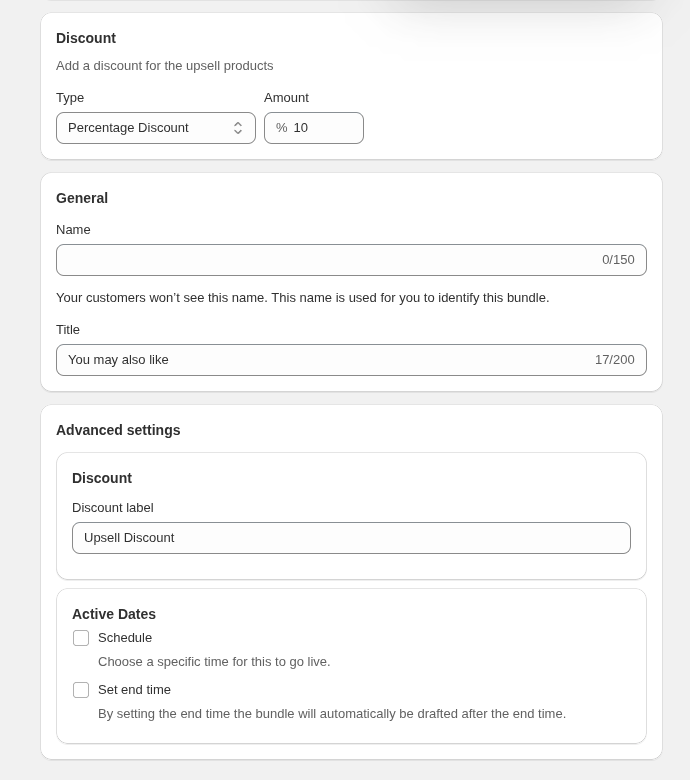
Other details of upsell bundle
select
- discount type
- discount vale
- bundle name
- bundle title
- bundle start and end date
here bundle name is just for you and app admin to identify the bundle and bundle title show at customer side.