Based On Bundle
This article explains how to track bundle performance and analytics, including views, clicks, sales, and order data in specific time frames.
In the Bundle Wave app admin panel, there is an "Analytics" tab where you can view detailed statistics about your bundles.
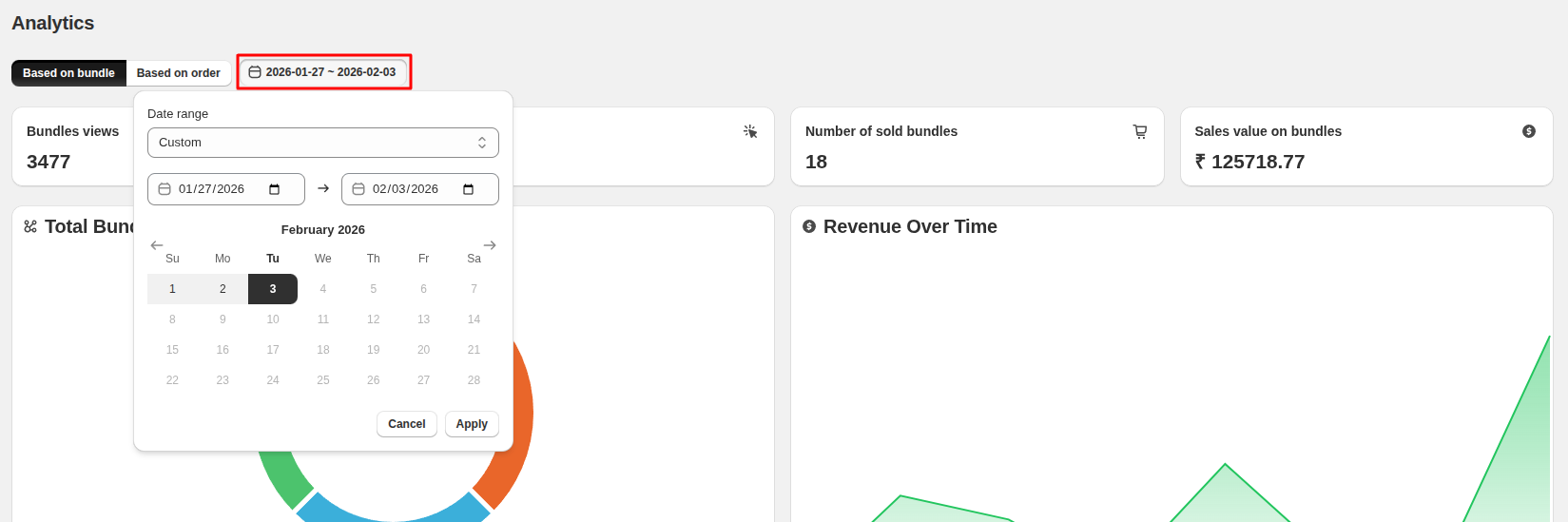
Choose Time Period
You can select a specific time frame for which you want to view the analytics data.
Based On Bundle
View bundle-based analytics by selecting "Based on Bundle." Below are the key metrics.
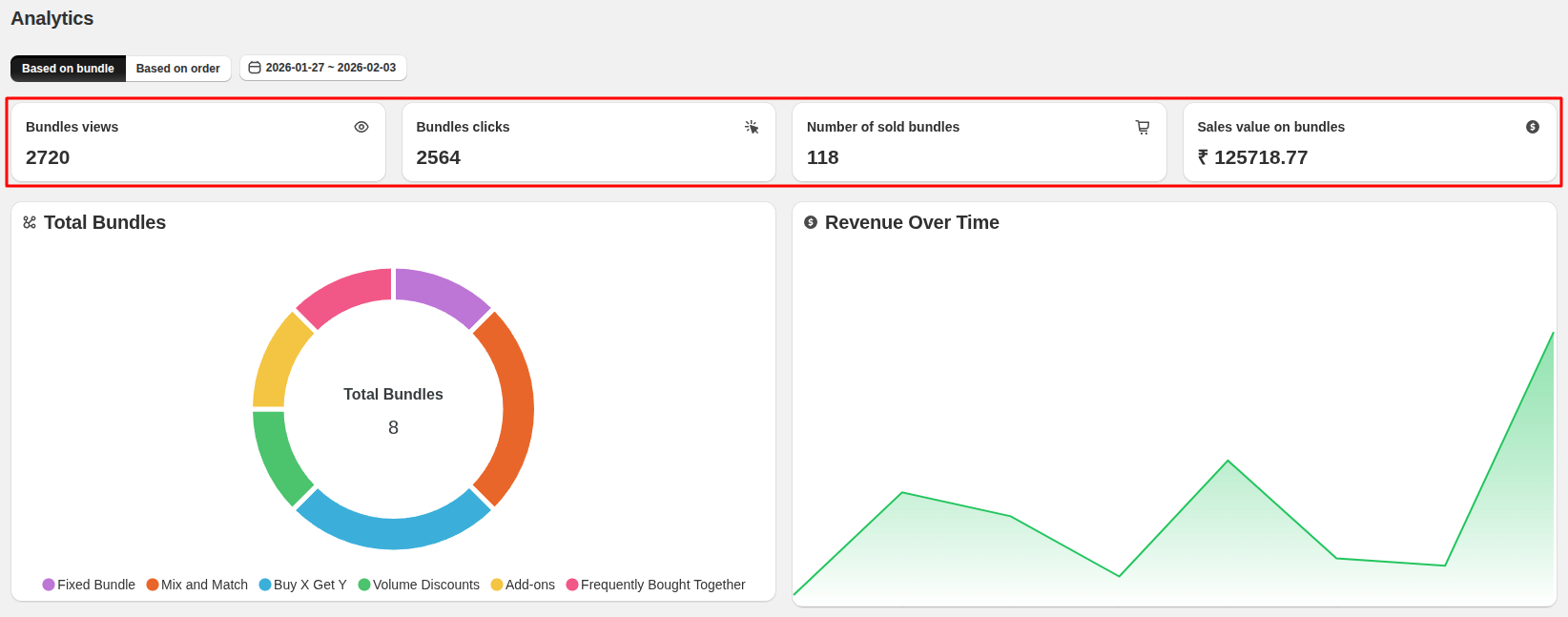
- Bundle views - The total number of Bundle views in the specified period. (In the image it states from the beginning till now. it can be changed).
- Bundle Clicks - The total number of times all the bundles have been clicked in the specified period.
- Number of sold bundles - The number of sold bundles in the specified time period.
- Sales Value on Bundles - Total sales generated from bundles in the specified period
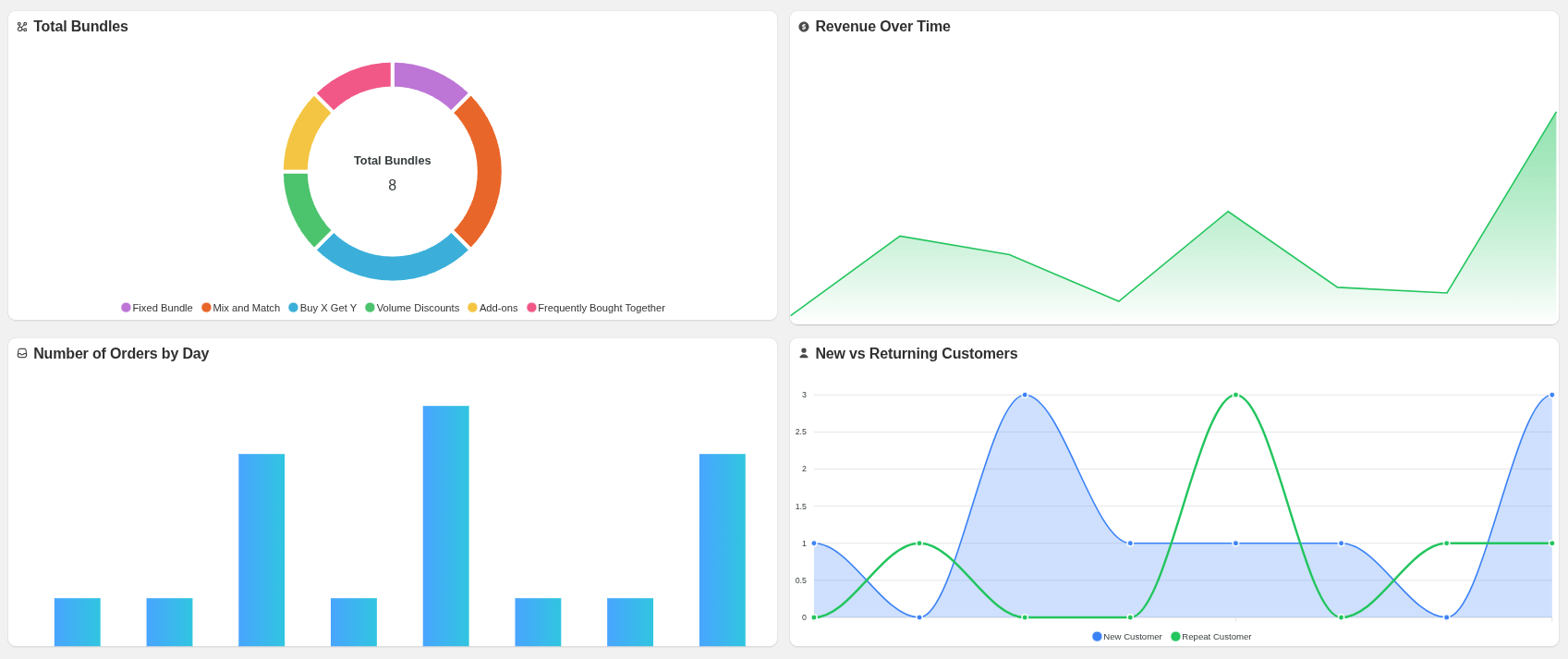
Bundle-Based Analytics Overview
This charts show Total bundles, Revenue over time through bundle, Number of Order by Day and New vs Returning Customers.
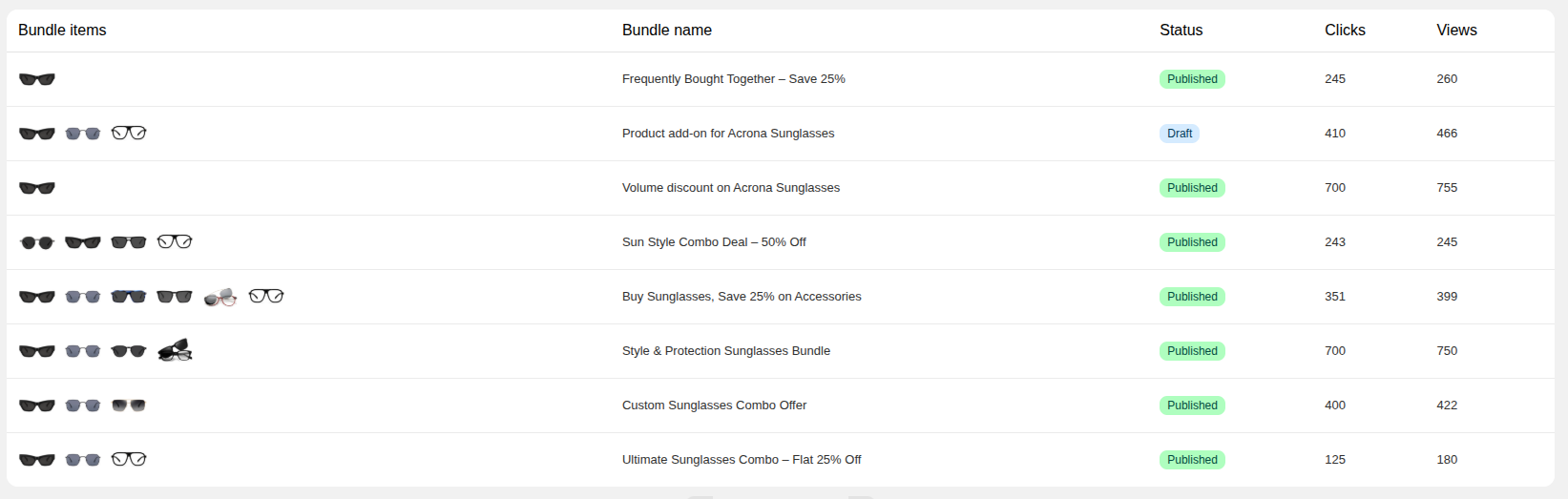
Recent Bundles
This table provides detailed information on each individual bundle, including their status, name, bundle views and bundel clicks.