How Can I Customize My Password Popup's Appearance?
Customize the password popup
On the Lock Manager admin panel, go to the "Customization" tab.
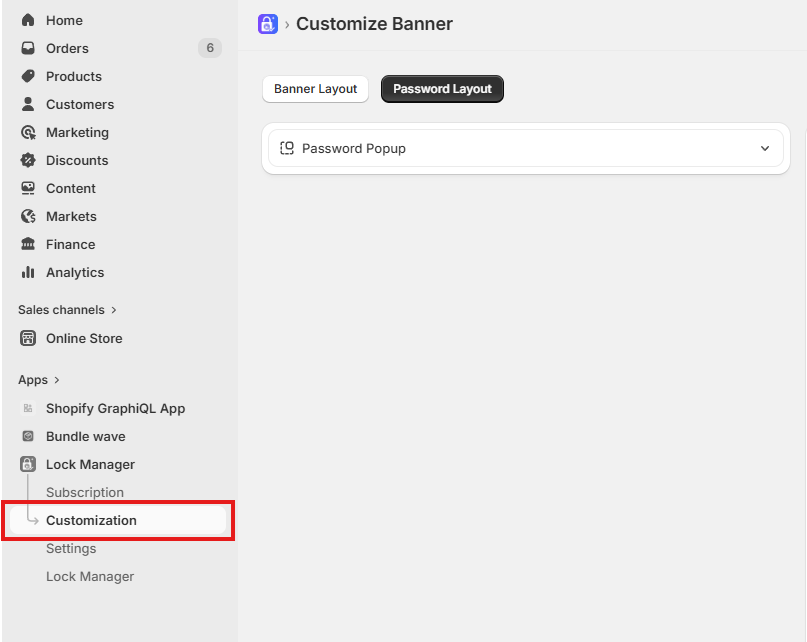
Common customization for password popup
1. Password Popup
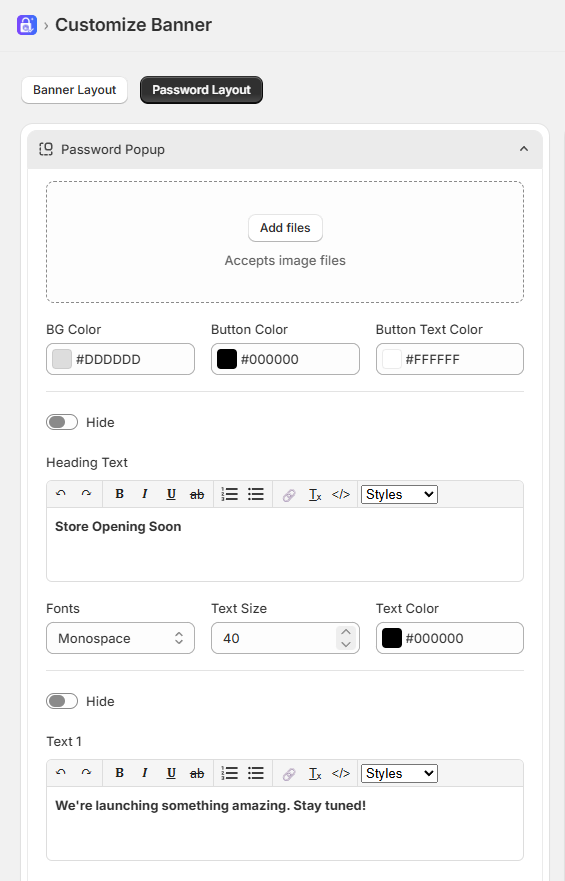
The password Popup option lets you control the appearance of the Password Page
Add files: To upload a new image file for password page background
BG Color: Choose the color of the background to match your store's theme
Button Color: Choose the color of the button to match your store's theme
Button Text Color: Choose the color of the button text to match your store's theme
Switch: To show or hide the heading text, text 1, text 2
Textbox: To customize and change the text of heading text, text 1, text 2
Fonts: Changes the font family of the text
Text size: Adjust the size of the text for better readability
Text color: Choose the color of the heading text, text 1, text 2 to match your store's theme